Every game you have,Ready to play.

YendleBox brings your ROMs, Steam, Epic, GOG and Android games into one library you drive from the sofa. Fast, controller-first, and completely free.

Windows 10 and 11 · works with RetroArch, Steam, Epic and GOG
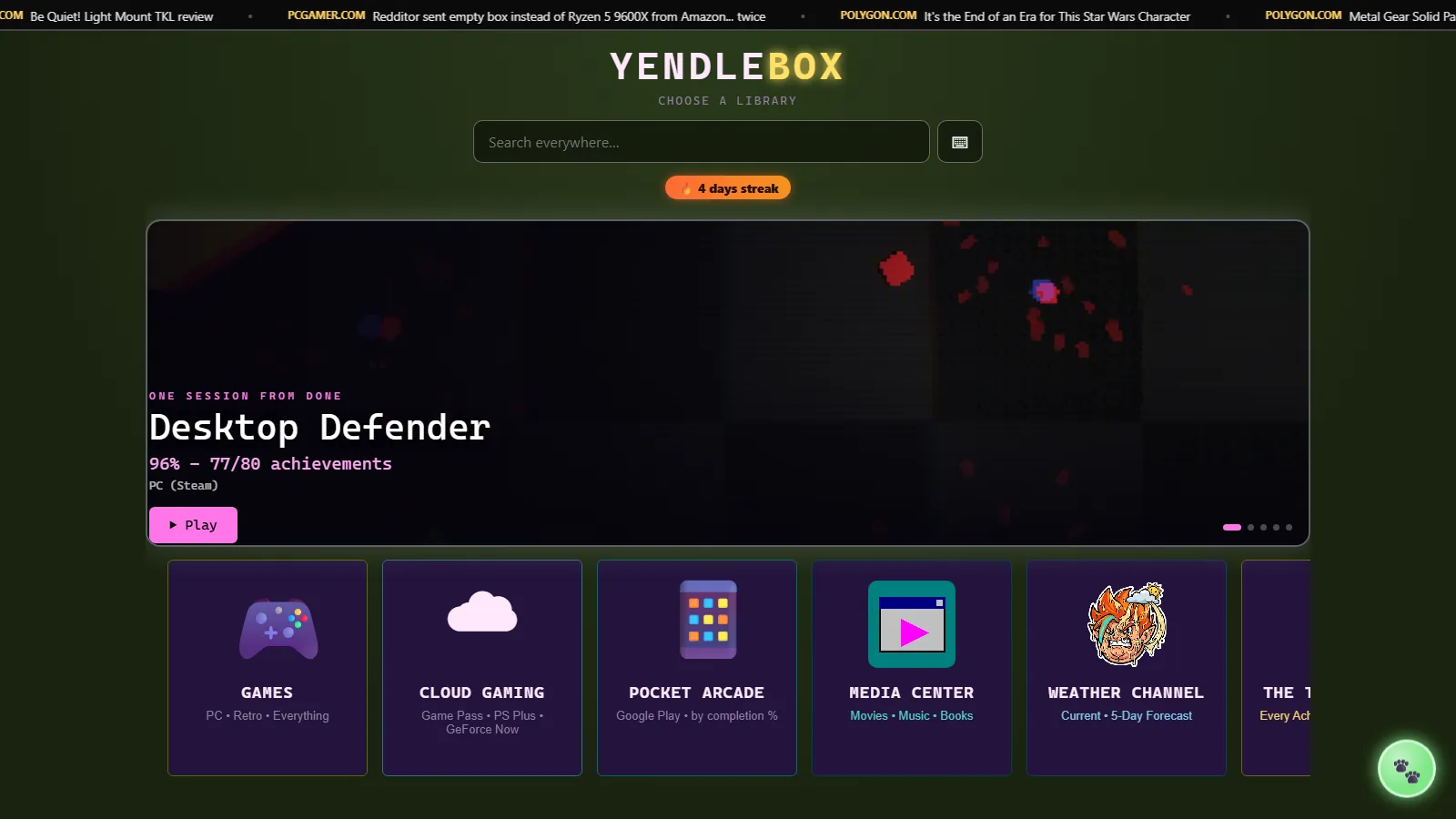
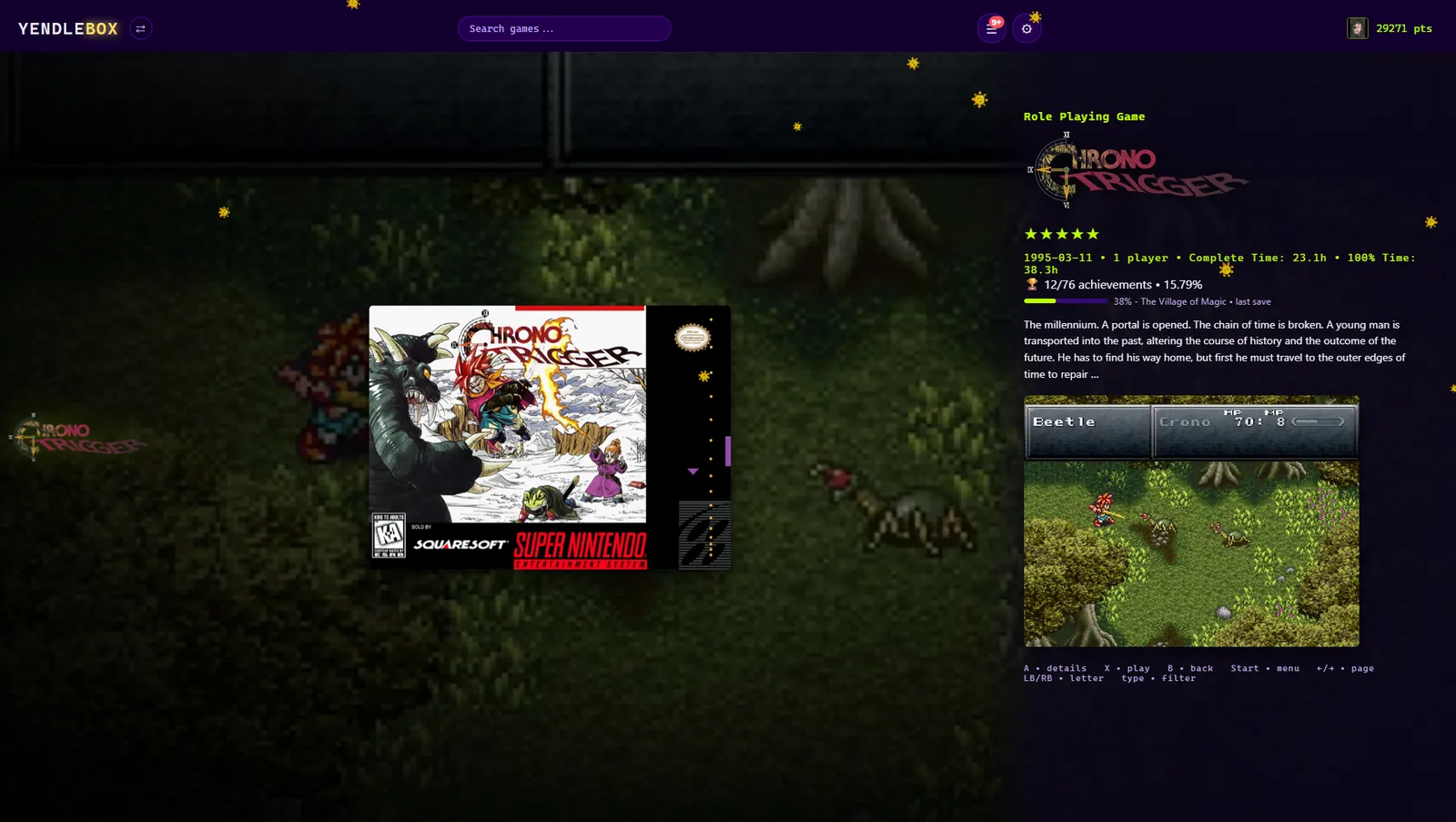
The YendleBox homepage, showing a featured game one session from done and a row of channels.
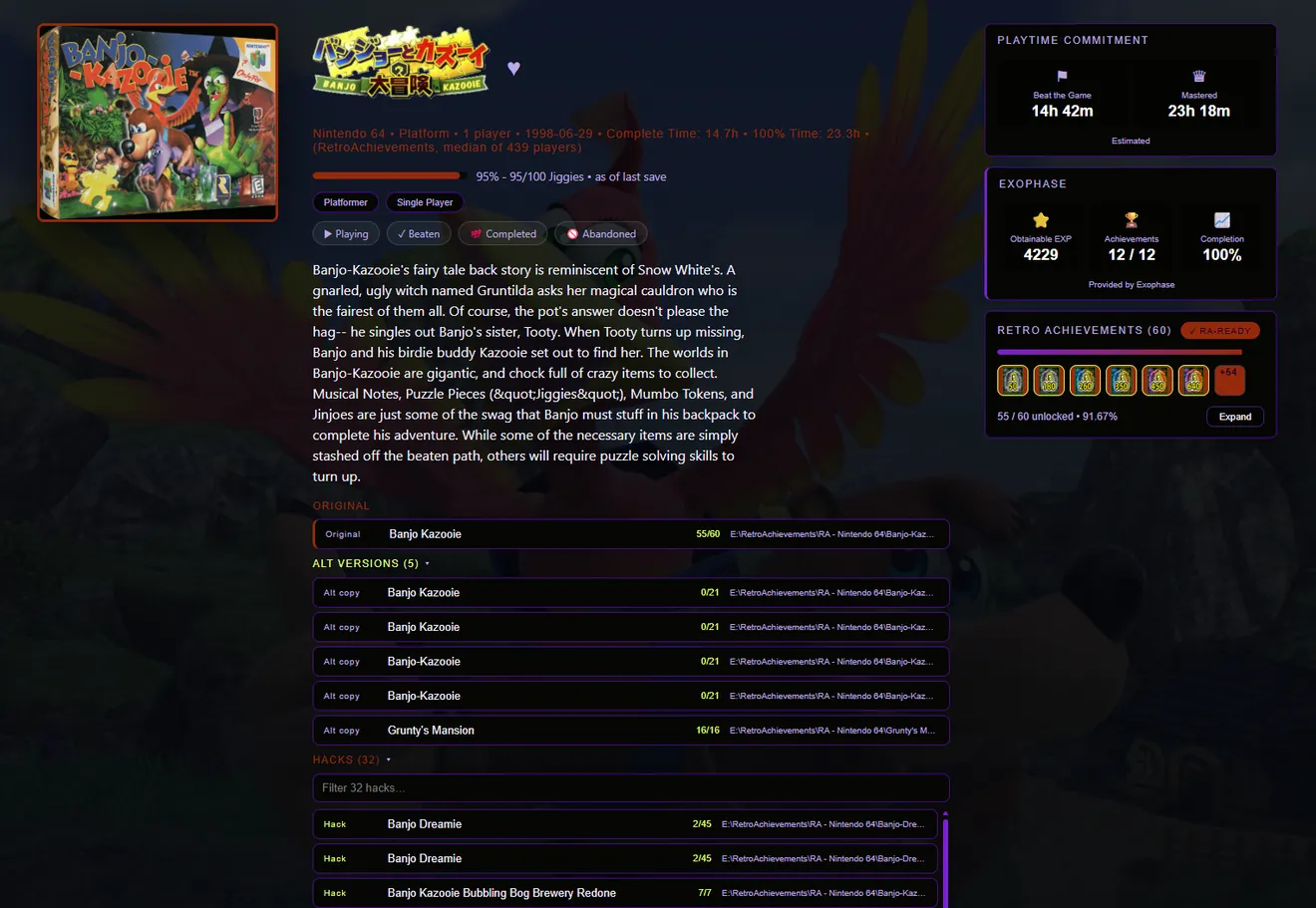
A game screen showing cover art, details and how far through the game you are.
A save-progress readout showing the number the game itself keeps.
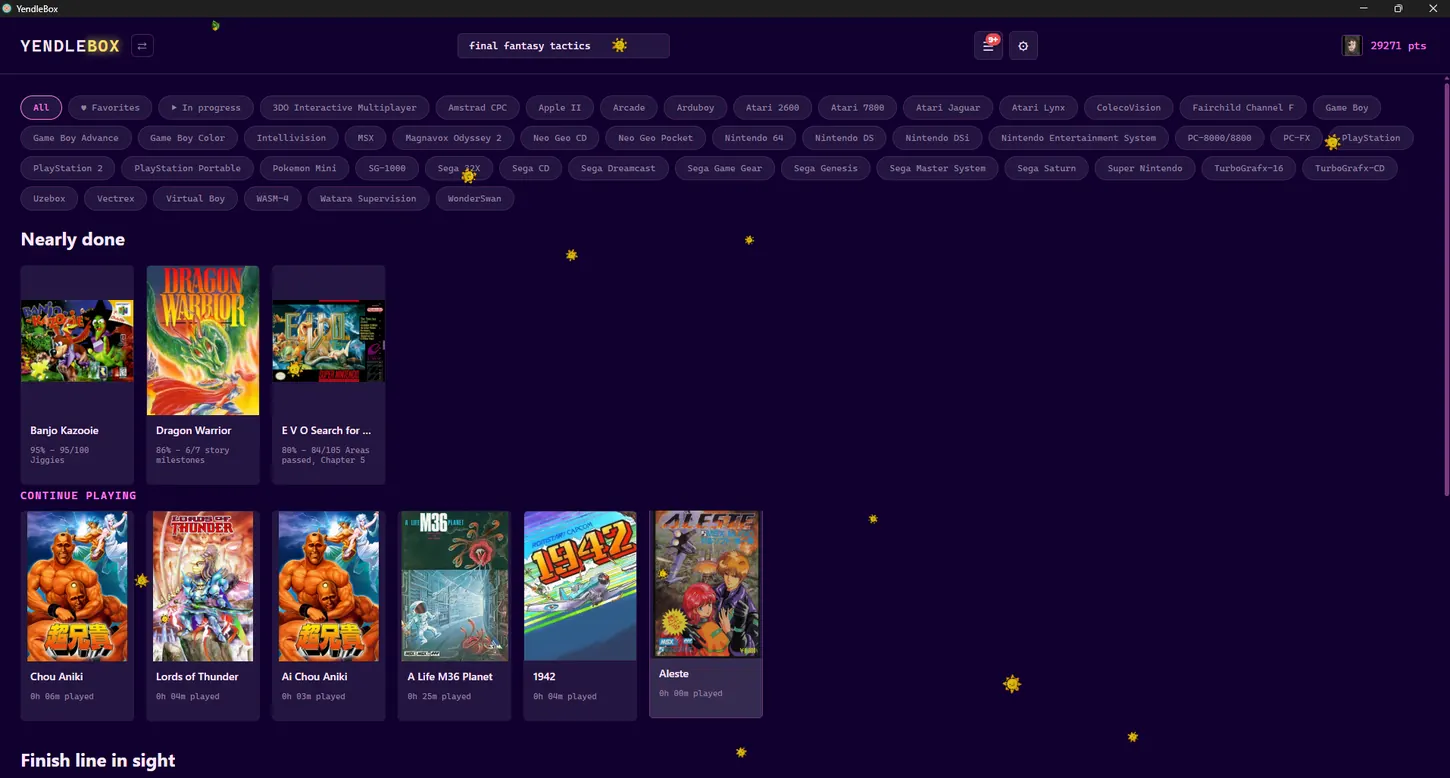
The library, showing cover art for games across several consoles.
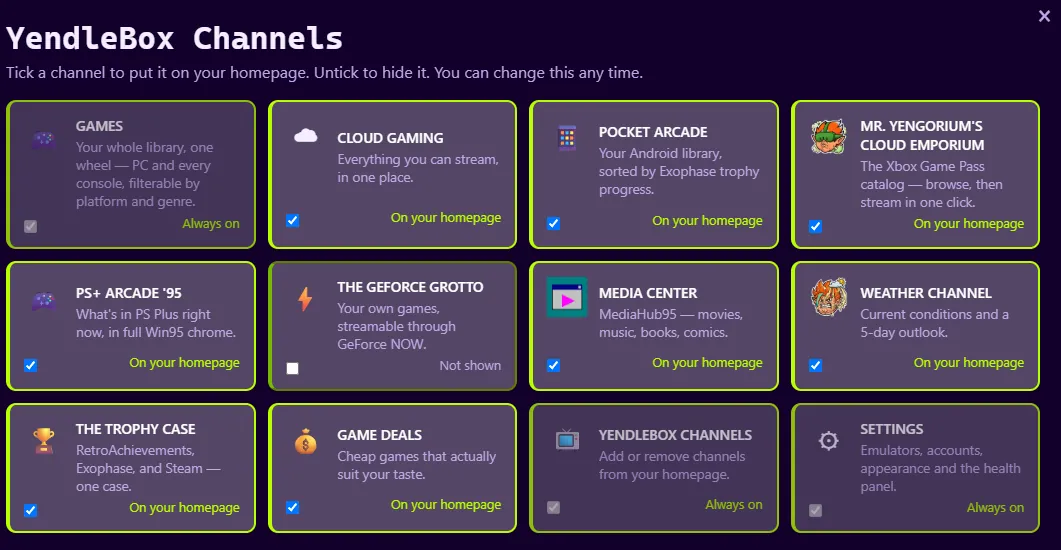
The row of optional channels on the homepage.
Game details

Not just about showing off large collections.

It’s about finally wanting to play the collection you have.

Free — no paywall, no accounts, no store. Private — nothing leaves your PC. Fast — opens in under a second with a very large library. One installer, with nothing to set up first.

Your collection

  • Import your games Point it at a folder of ROMs and it works out what everything is.
  • PC games too Steam, Epic and GOG games appear in the same list.
  • Emulator support Works with RetroArch, or any emulator you already use.
  • Save backups Every save is backed up, and you can always put an old one back.
  • Cloud saves Your saves follow you between PC and phone, through a sync with no delete function at all.

Where you got to

  • Progress tracking Reads your save files to show how far into each game you got.
  • Achievements RetroAchievements, Steam, Exophase and Google Play trophies in one place.
  • Missable content Tells you when a game has something you can permanently lose.
  • Play something Cannot decide? It picks one game, tells you why, and you press Play.

How you play it

  • Controller support Every screen works from a pad, including the extras.
  • Play together Send a friend a link and they become player two in their browser.
  • Stream it Play it in another room through Sunshine and Moonlight.
  • Phone remote Search your library and launch games from your phone.
  • Themes Change the skin, the homepage and the way the game list looks.
Your library

Point it at your folder. That is the setup.

Real collections are messy. The messy parts are normal cases here, not problems to sort out first.

NamingNo naming scheme to follow and no folder structure to set up. It reads the filenames, works out which game each one is, and pulls the cover art.
Messy setsZipped games, multi-disc games, fan translations and duplicate regions are all normal cases, not problems.
RomhacksTuck in behind the original game, so they stay out of your way until you want them.
If it guesses wrongYou can fix it. Nothing in your game folders is moved, renamed or changed either way.
Your savesRetroArch saves, memory card files, old DexDrive and GameShark dumps, PlayStation and DS exports. Nothing to convert, and they are only ever read.
Your emulatorRetroArch is the easiest start, but PCSX2, DuckStation, Dolphin, RPCS3 and the rest all work — with the settings you already use.
If a drive letter changesIt surveys what moved, shows you a dry run, and only then rebases the paths — backing up first.
Coming from LaunchBoxIt brings over your favourites and which games you finished — the two things you cannot just scan again.
Progress tracking

You won’t ever forget where you left off on a game again.

Not hours played — the number the game itself keeps. Your whole collection lives in YendleBox; for 314 games so far it also reads that number straight out of your save file.

SuikodenPlayStation

108/ 108 Stars of Destiny recruited

from your last save

Super Mario WorldSuper Nintendo

24/ 96 exits cleared

from your last save

Mario Kart 64Nintendo 64

5/ 16 Grand Prix cups won

from your last save

A Link to the PastSuper Nintendo

2/ 7 crystals · Agahnim down

from your last save

Gauntlet LegendsNintendo 64

88/ 99 character level

from your last save

Turok 3Nintendo 64

Chapter 4The Lost Land

from your last save

“I’ve got an hour.”

Tell it how long you have and it shows you what you can actually finish tonight, based on your own saves.
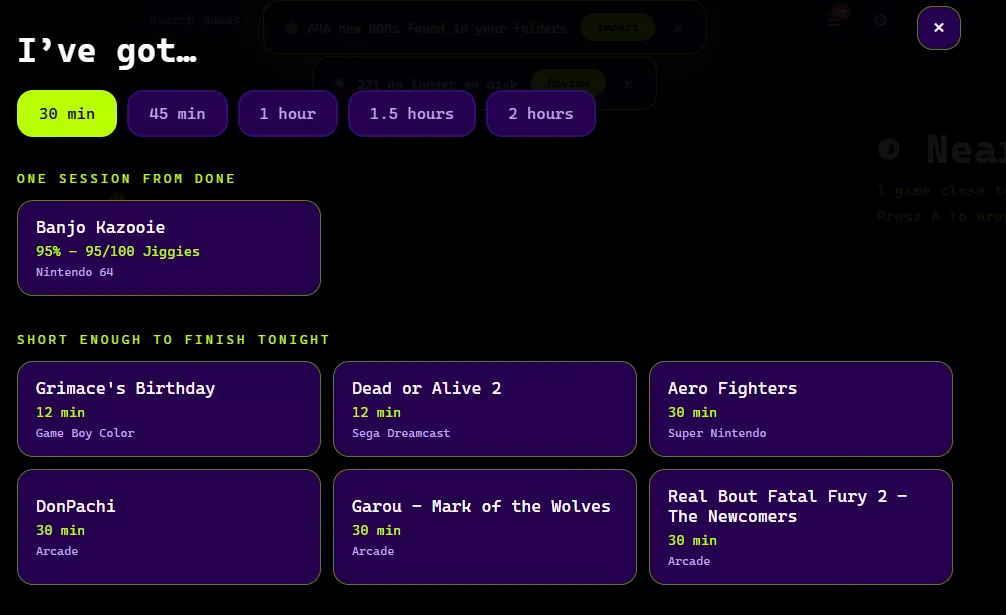
A list of games close to finished, sorted by how far through each one you are.

The game’s own number

Exits cleared, cups won, missions done, chapter reached.

Never a guess

If it isn’t certain, it shows nothing at all.

Shelves that sort themselves

Nearly done, keep playing, and finish line in sight.

Some of the 314
Achievements

All your achievement platforms in one spot.

RetroAchievements, Steam, Exophase and Google Play together, instead of four browser tabs.

Retro, PC and mobile

Emulated games, Steam, Xbox and Game Pass, and Android, all in one list.

See what was rare

It keeps how rare each trophy was and ranks your best ones.

Nearly finished

It reminds you about the games you almost completed and forgot.

Works on your phone

Take games with you and your trophies still count.

Friends

See who you follow, and compare your numbers with theirs.

It makes sure trophies actually work

Achievements only run on certain emulators, and a lot of libraries are quietly set to the wrong ones. YendleBox picks a supported emulator for you, so your games can earn trophies instead of silently not counting.

Play together

Game with your friends, regardless of their setup.

You run the game. Send a link and up to three friends join from their browser. No downloads and no accounts.

YouHost

Run the game. It never leaves your PC.

ThemPlayers 2–4

Their controller works as if they were sat next to you.

AnyoneWatching

As many friends as you like can watch, and draw on the screen.

They needNothing

Just the link.

Chat over the game

Messages appear on screen, so nobody has to alt-tab out.

[P2 · sam] ok whoever picked rainbow road
[P3 · dee] that was you
▌ T to type

Best for party games

Mario Kart, Bomberman and Mario Party. For fighting games, stream it instead.

Play the same game online

Both of you run the game, so only the buttons travel. It checks you have the identical ROM and core first, and can host through a relay if neither of you can forward a port.

Stop on the PC, carry on from your phone

The save goes with you, both ways. A game stays locked until its save has actually landed — so you can never start on top of one still in flight, and if it never arrives it tells you which device played last instead of guessing.

Stream to another room

Set up for Sunshine and Moonlight already, so it plays lag-free on a TV, a Steam Deck or a laptop.

Use your phone as the remote

Scan a code to pair, then search and launch from the sofa.

Take ten games with you

Games and saves onto your phone, played in real RetroArch so trophies still count. Your PC can be switched off.

Second screen

Turn a spare monitor into an arcade marquee.

Controller support

Fully optimized for controller use.

Every screen works from a controller, including all the extras.

D-PAD

Move

A

Select

B

Back

X

Launch a game

Y

Pick something at random

LB RB

Jump through the list by letter

START+BACK

Done with a game? Hold both for two seconds and you are back on the main screen. No keyboard, no alt-tab.

However you play

Some nights the hardest part is starting.

A launcher sits between you and the game. These switches move it out of the way — every one of them off by default, and every one a real change, not a label.

Play somethingFor when choosing is the wall. It hands you one game — not a list — with a plain reason it picked that one. Carry on, something short, or a surprise.
Calm modeNo animation, no video that starts on its own, no music on highlight. The artwork stays.
Predictable homepageNothing rotates and the idle screen stays off, so it looks the same every time you walk up to it.
Less pressureHides the completion percentage and the bar. What you have earned still shows — it is the “63% undone” framing that goes.
It reads aloudThere is no screen reader on a television, so YendleBox speaks for itself — the game, the console and where you got to, as you move.
Easier to seeA high-contrast mode, a thick selection outline you can follow from the sofa, and nothing that tells you something with colour alone.
Themes

Make it look like the console you want to play.

The skin, the homepage and the game list are three separate choices. A theme pack sets all three at once.
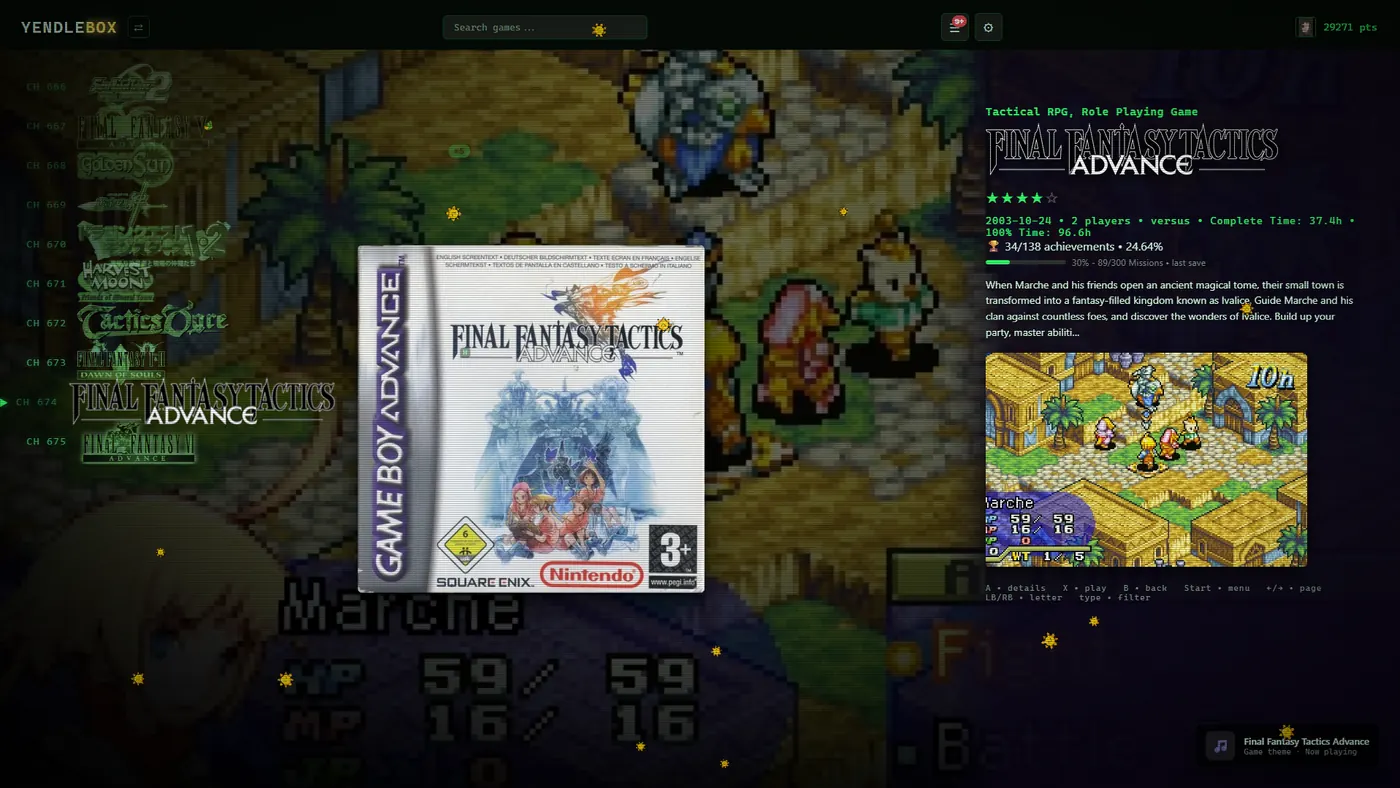
CH 001The YendleBox game list styled like an old TV, with channel numbers, a green glow and scanlines.

Your games as TV channels

Every game gets a channel number, and moving between them zaps like an old set changing channel.
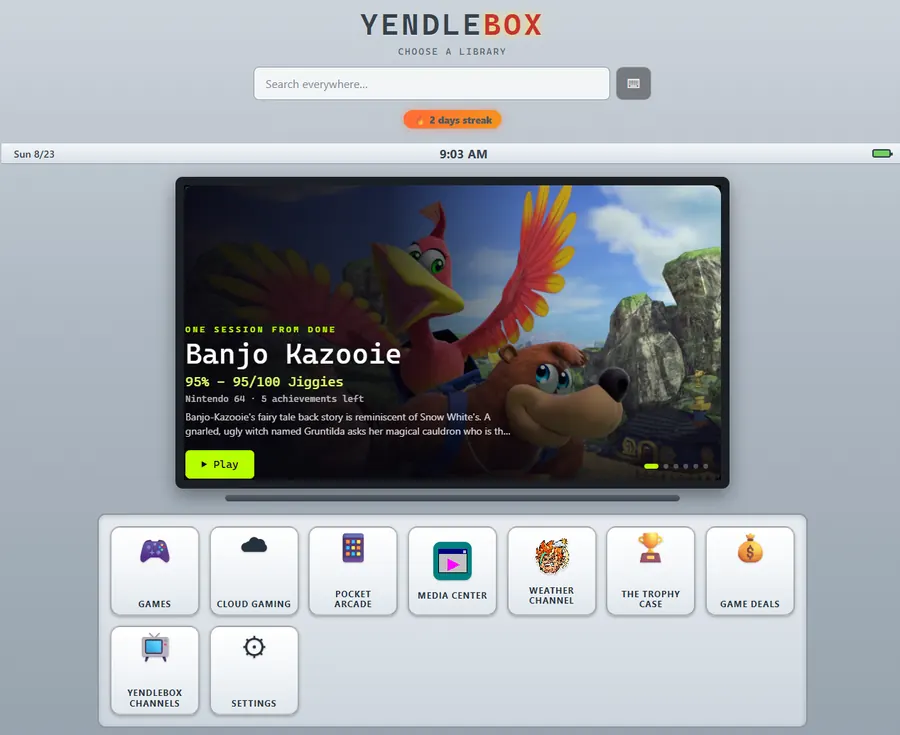
YendleBox in a light skin, clean and simple.

Light

Clean and simple, and easy to read in a bright room.
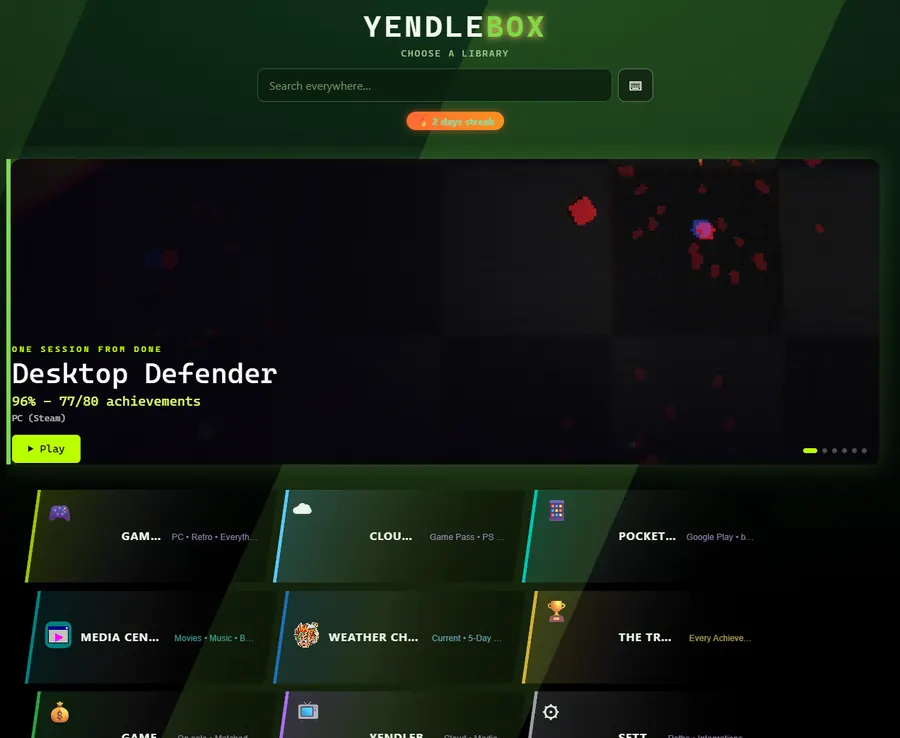
YendleBox in a green skin with angled panels.

Green

The same screen with angled panels and a warmer tint.
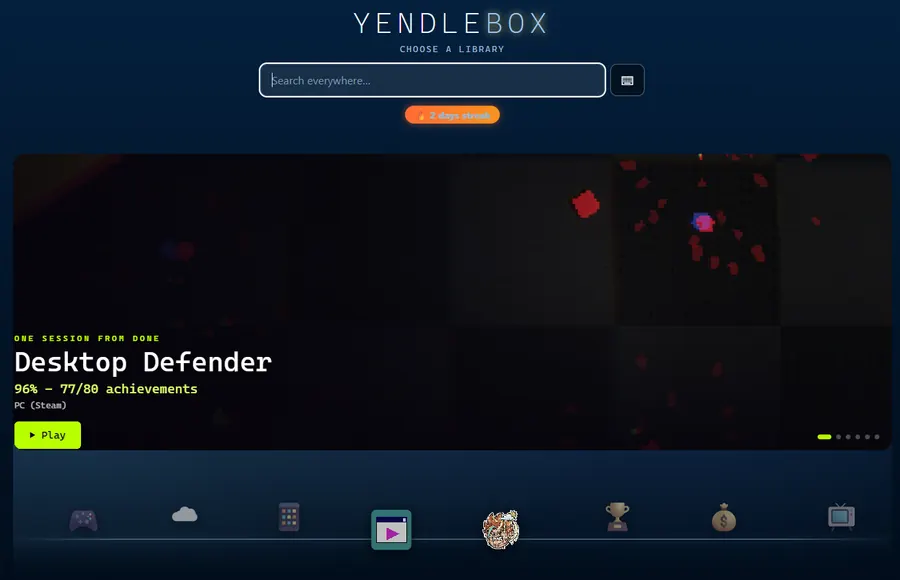
YendleBox in a navy skin with a dock along the bottom.

Navy

Your extras tuck into a dock along the bottom.

Cartridge Shelf

Your game list becomes a shelf of boxes, and the one you are on leans forward.

Homepage layouts

Six of them, each based on a console menu you already know.

3DS360WII XMBGCPS2

Colours from the cover

Each game tints the screen to match its own box art.

Video previews

Gameplay clips play quietly when you rest on a game.

Time of day

The colours shift from morning to night, and change again when it rains.

Picture settings

CRT filters and sharp pixel scaling, set from the couch.

Extras

It’s modular! As small as some need it to be, as large as some want it to be.

Out of the box it is your ROMs and your Steam games. Everything here is a tick box, and unticking one removes it completely.
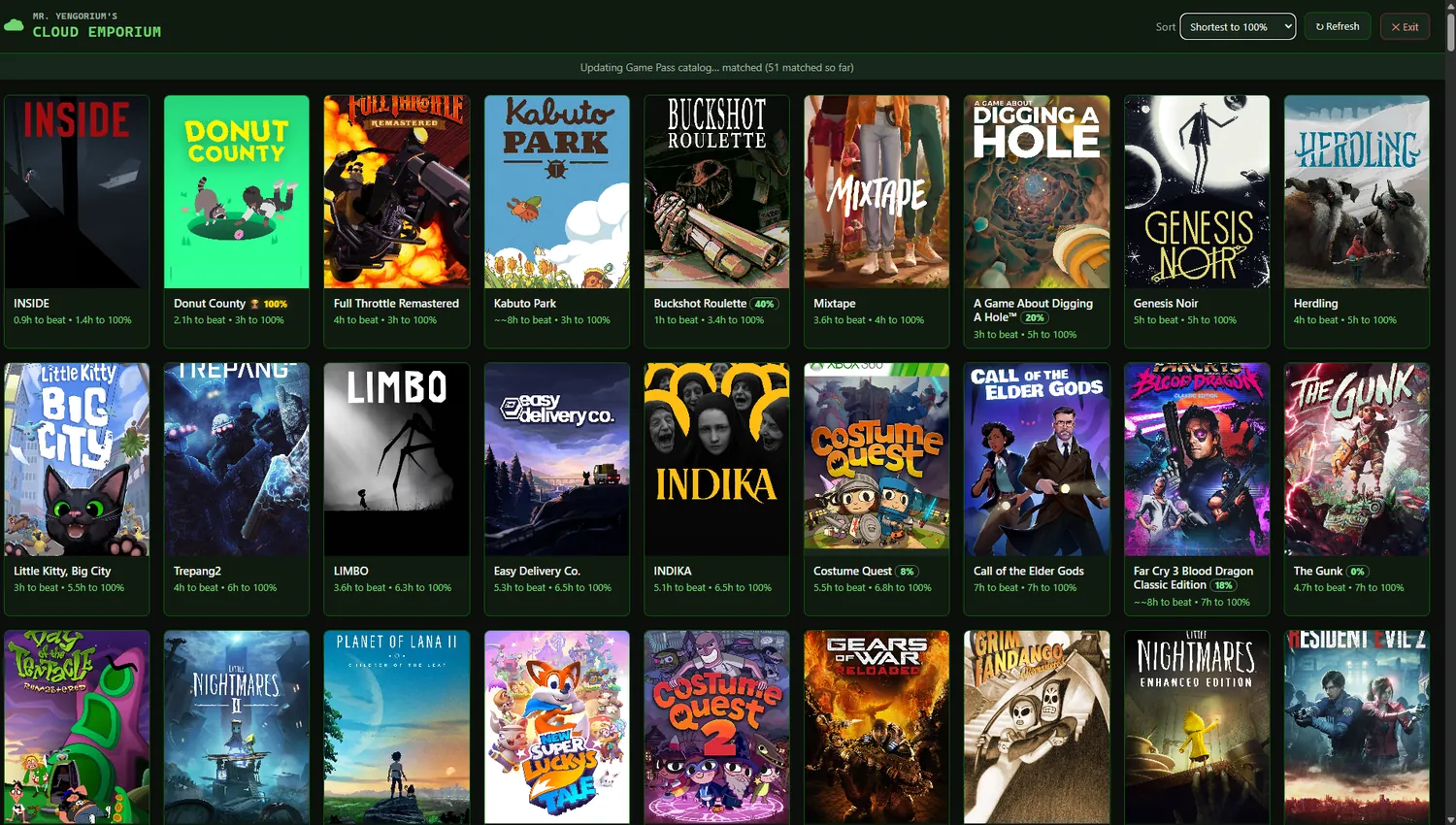
The Game Pass catalogue screen, sorted by how long each game takes to finish.

Cloud Emporium

Your whole Game Pass catalogue, sorted so the quickest games to finish come first. Pick one and it starts streaming in a click.
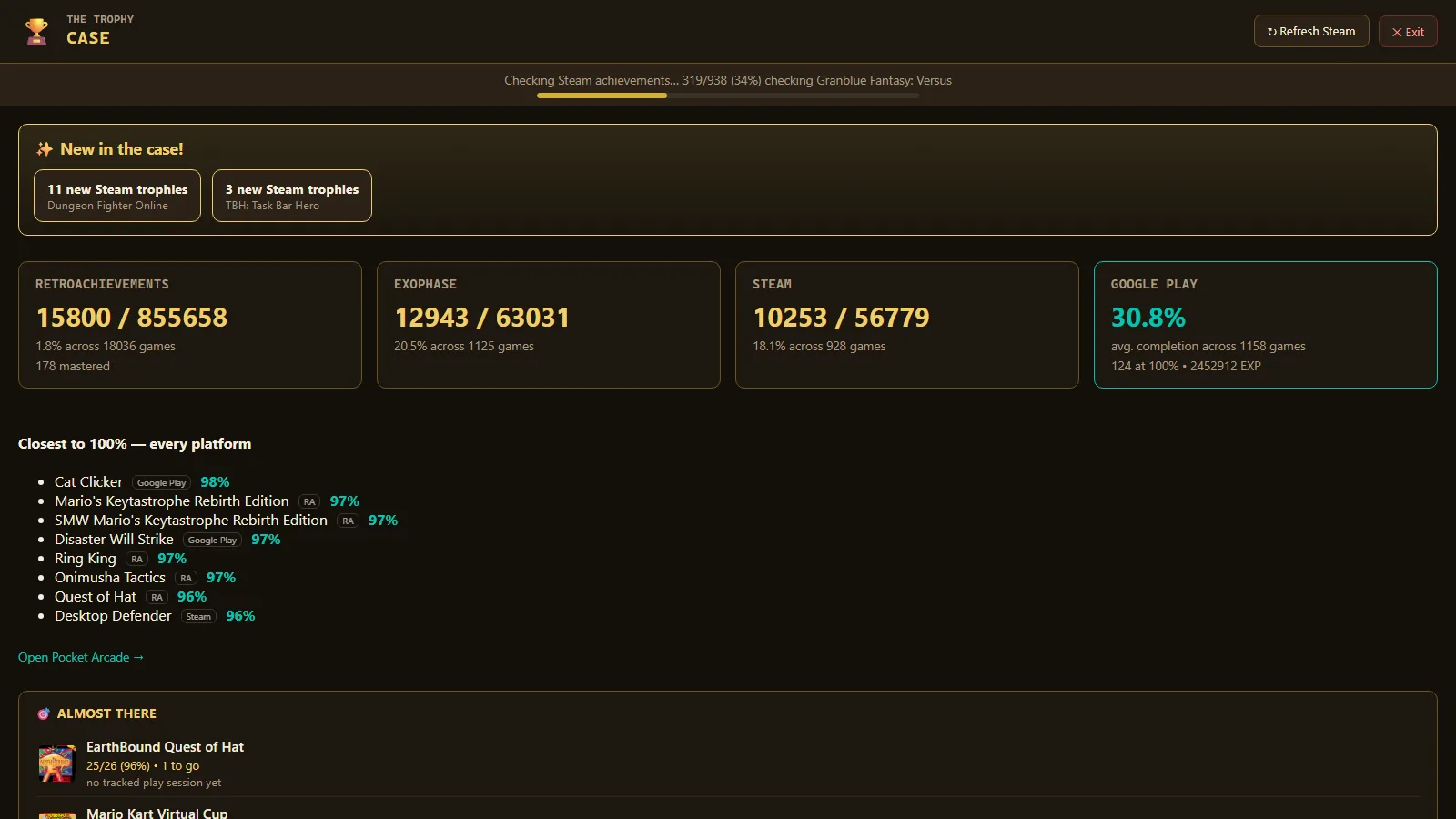
The Trophy Case, showing achievement totals across RetroAchievements, Exophase, Steam and Google Play.

Trophy Case

Every trophy you have earned across RetroAchievements, Steam and Exophase, in one list instead of four browser tabs.
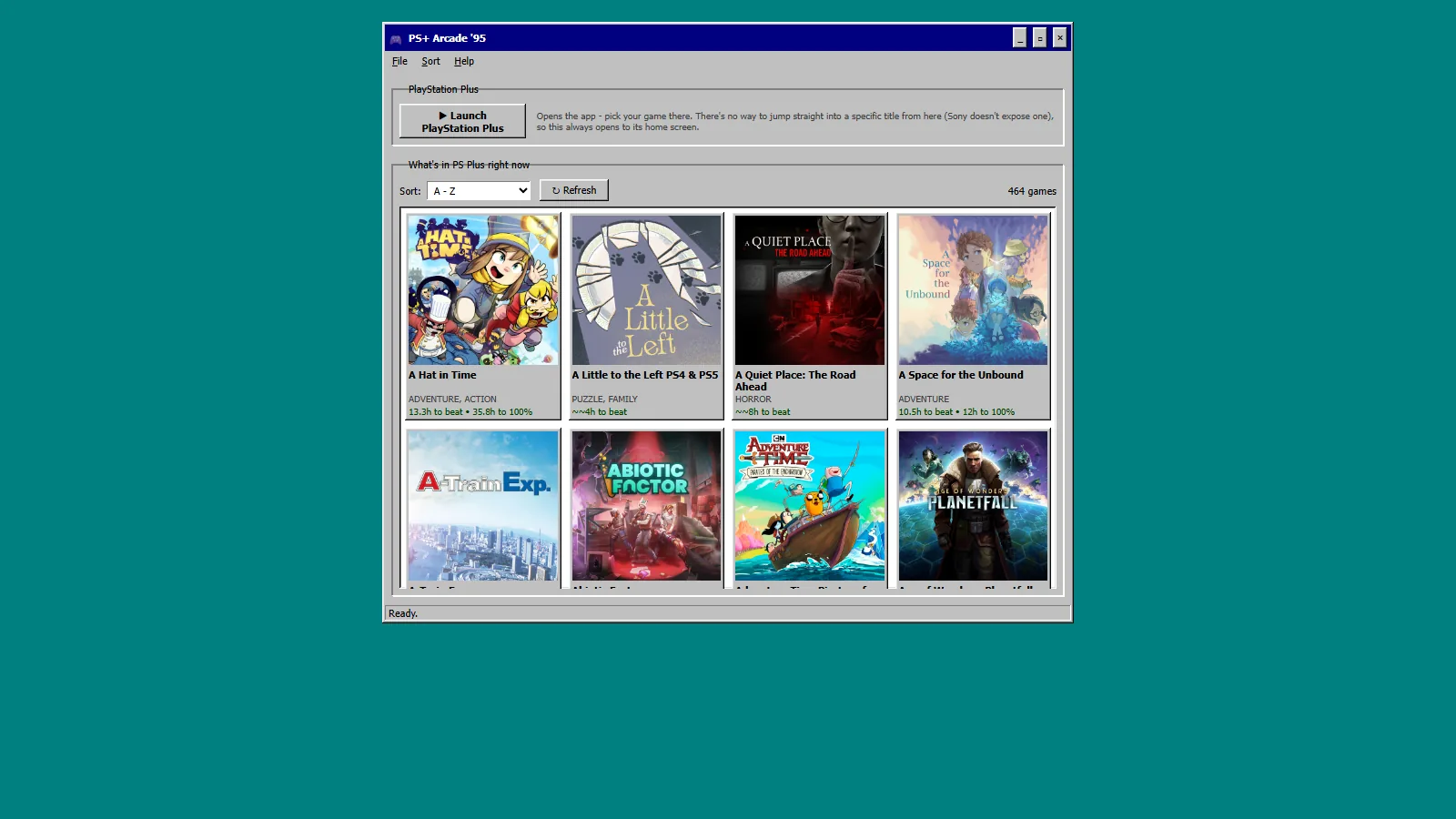
The PlayStation Plus catalogue browser.

PS+ Arcade ’95

The PlayStation Plus catalogue, browsable from the sofa with a controller in your hand.
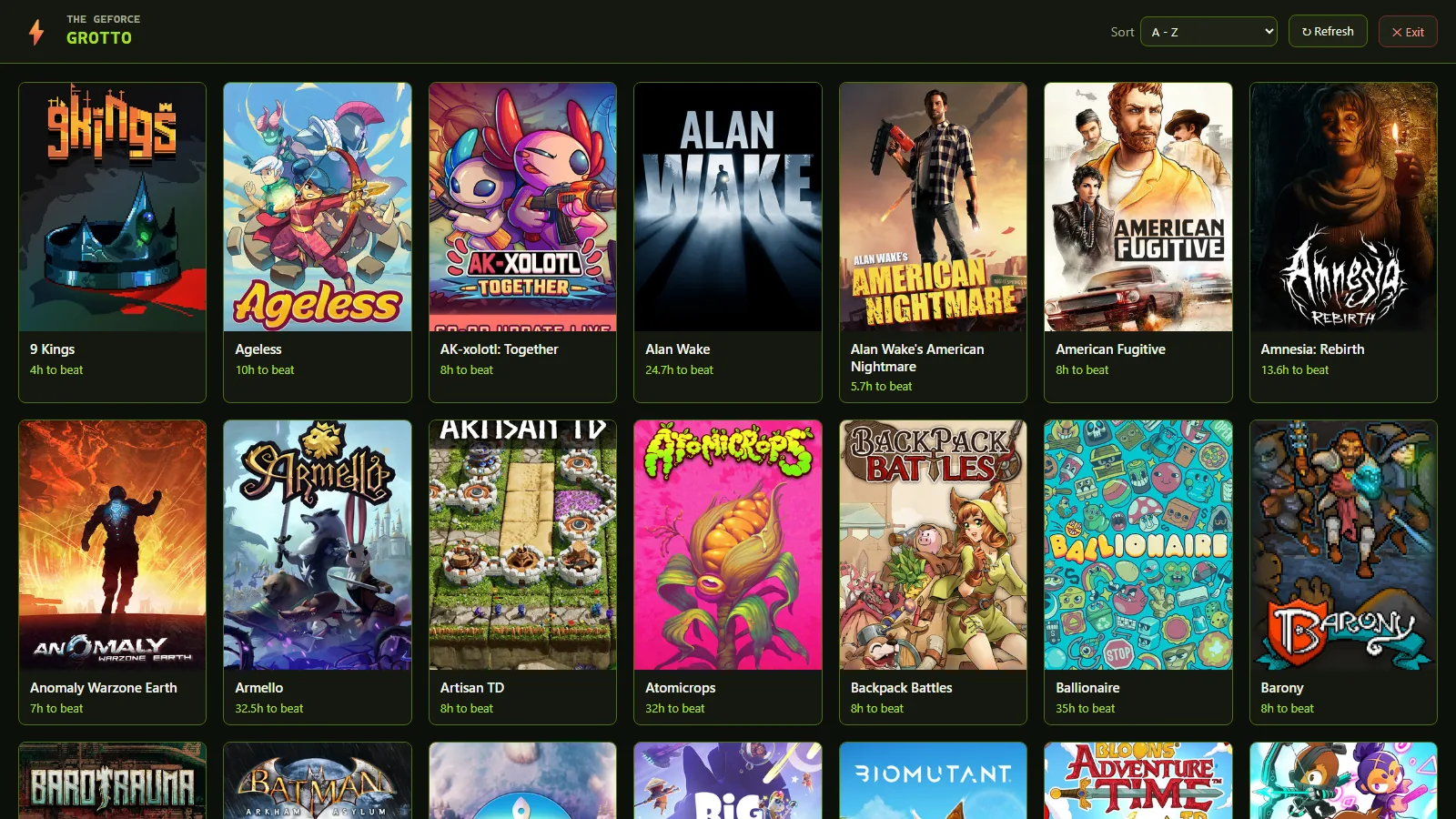
A grid of game covers that stream on GeForce NOW, each showing how long it takes to beat.

GeForce Grotto

Checks your Steam library against GeForce NOW, so you know what you already own that will stream.
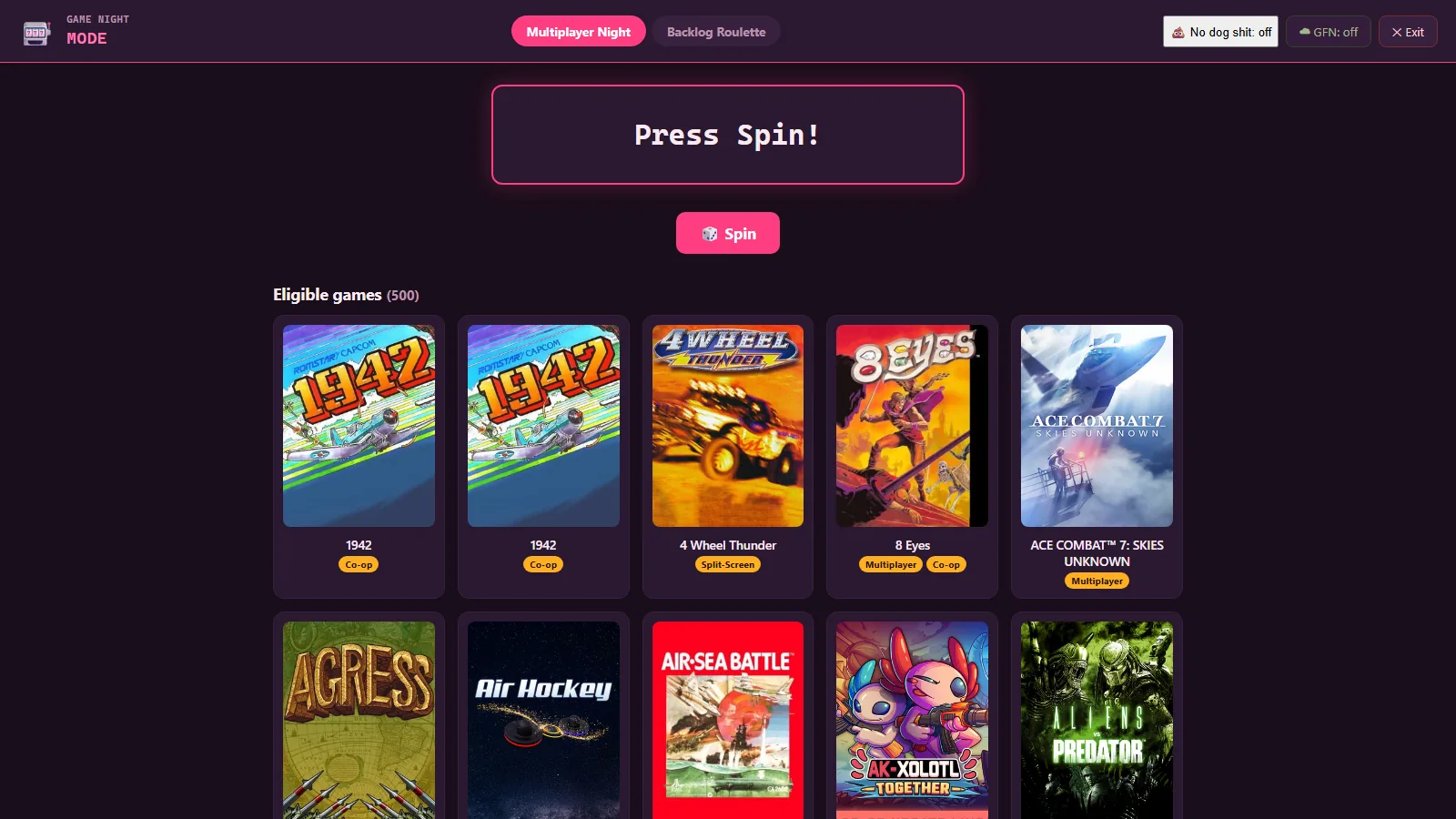
Game Night mode, picking a game for the number of controllers in the room.

Game Night

Tell it how many of you there are and it picks something everyone can actually play. There is a solo version for working through a backlog.
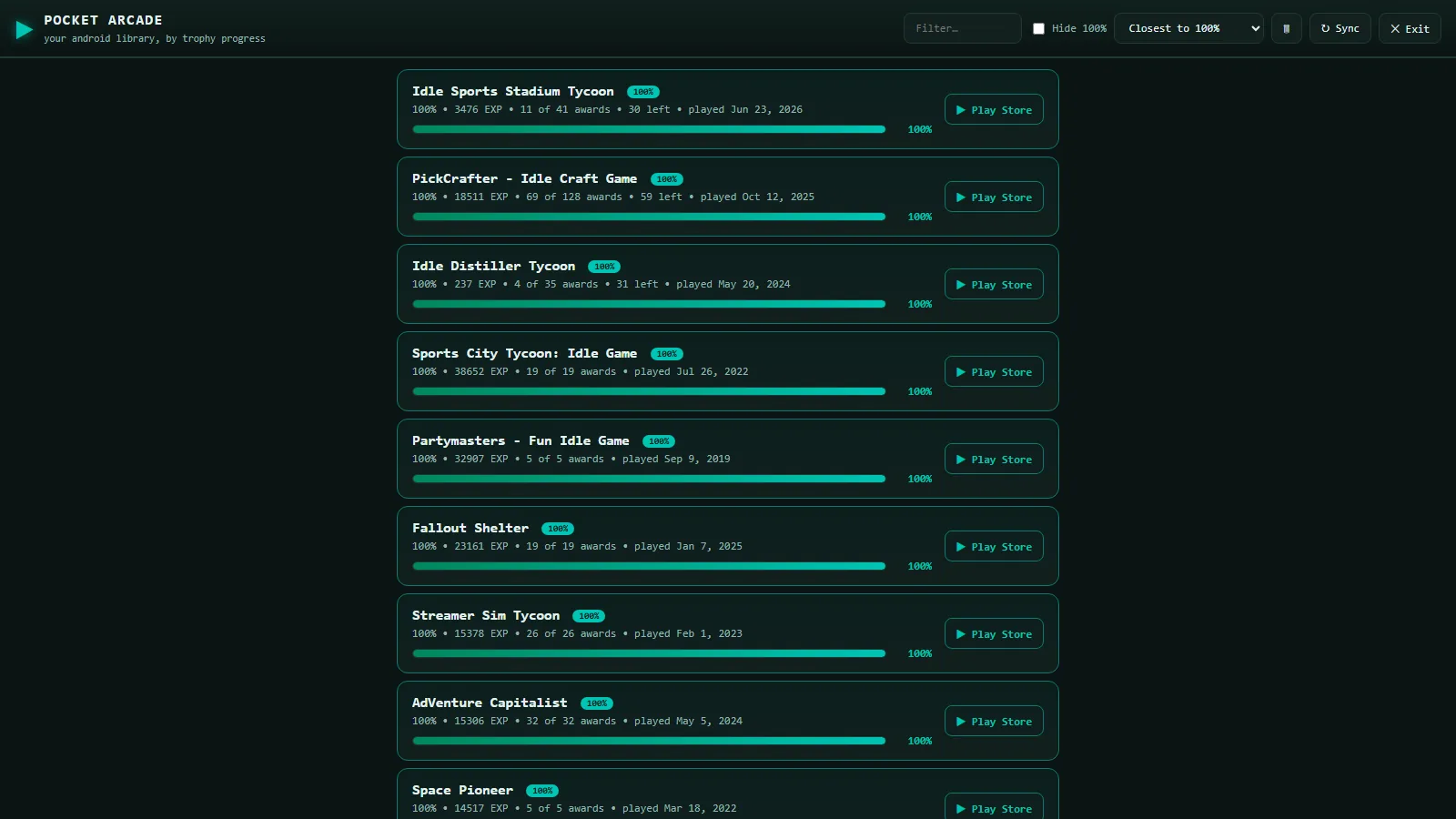
Android games ranked by how close each one is to finished.

Pocket Arcade

Your phone games, ranked by how close each one is to being done.

MediaHub95

A full media centre for your films, music, ebooks and comics, in a Windows 98 skin.

VGM Ripper 98

Paste a link and get tagged MP3s with cover art.
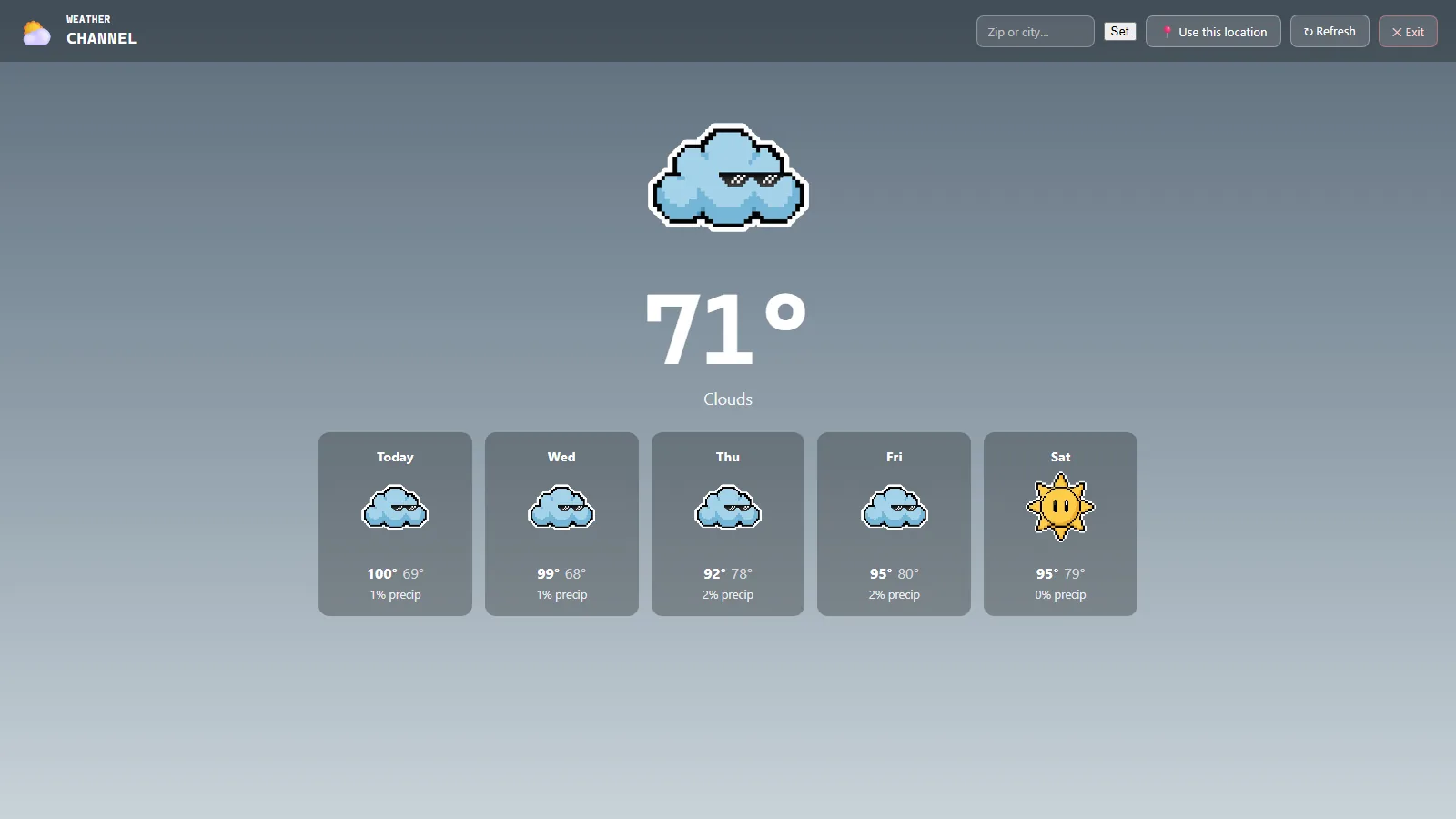
The weather channel, showing a pixel-art forecast for the next five days.

Weather Channel

The Wii Weather Channel, recreated on your homepage.
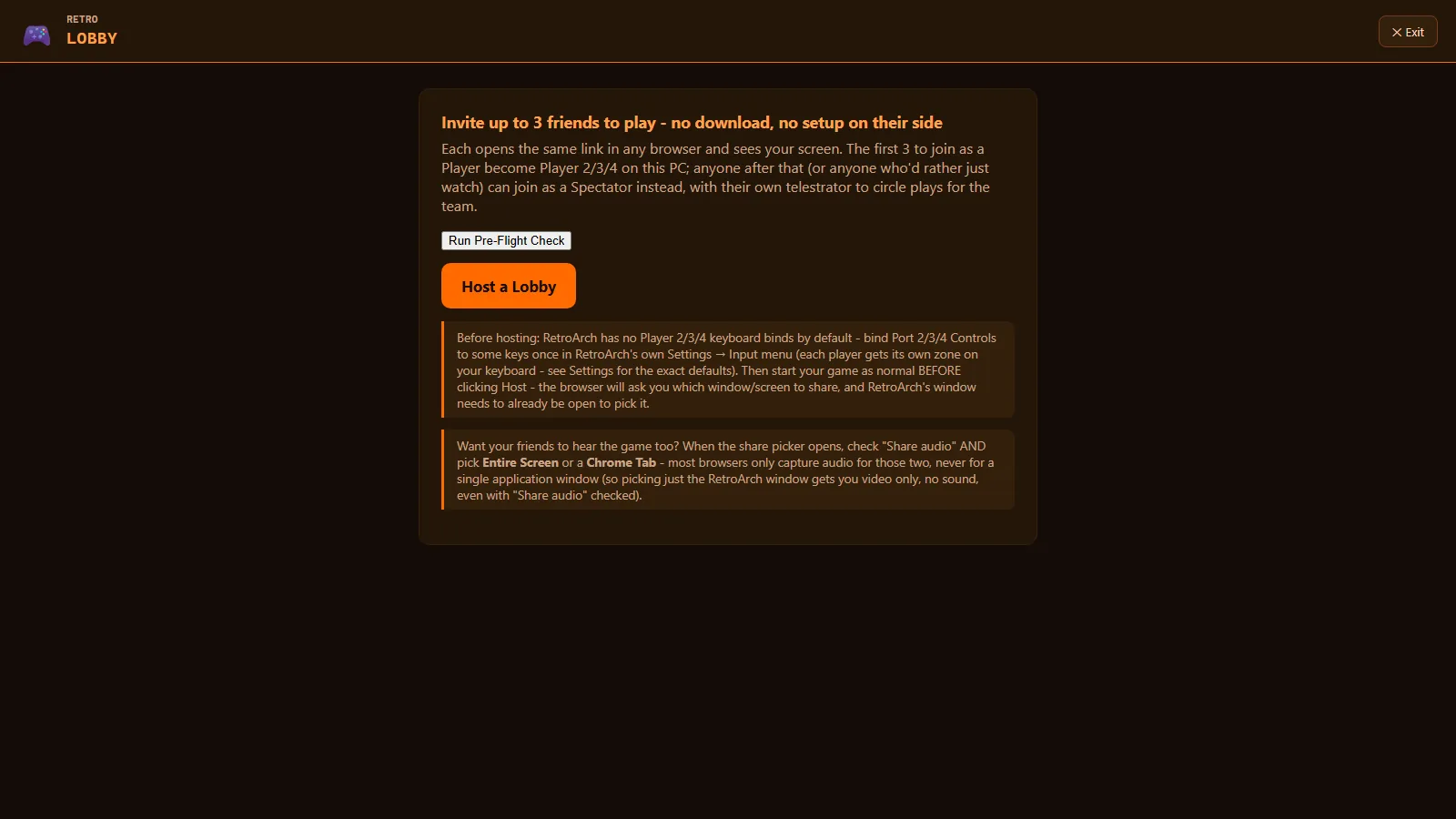
The Retro Lobby screen, where guests join a game from a link.

Retro Lobby

Send a friend a link and they become player two from their own browser. No downloads and no accounts.

Second screens

Use your phone as a remote, turn a spare monitor into an arcade marquee, and stream the whole thing to another room.

One search box

Searches your own games, Game Pass, PS Plus and Android all at once.

Safe and private

It runs on your PC and stays there.

Not a promise about what we choose not to do — there is no YendleBox company, server or account behind any of this to do it with.

There is no server

Nothing is uploaded to YendleBox because there is nowhere to upload it to. No YendleBox server exists.

Nothing phones home

No analytics and no crash reporting. It contacts nothing you did not set up yourself.

Your logins stay yours

Any keys you add live on your machine, and only ever reach the service they belong to.

Saves are read only

It reads your saves and backs them up. It never writes over them.

Cloud saves cannot delete

The Google Drive sync can only see files it made itself, and has no delete function at all.

You choose who can reach it

Your home network, or this PC alone. Separate profiles, a PIN on the settings and an optional bedtime.

Requirements

You probably already have what you need.

You needWindows 10 or 11. That is the whole list.
And one ofA folder of ROMs with an emulator, or Steam, Epic or GOG already installed.
Nice to haveA RetroAchievements or Steam login for trophies. Sunshine, to stream it to another room. A Google account for cloud saves. An Android phone. A spare monitor. None of it is needed to play something tonight.
GamesYendleBox does not include or supply any games. It works with what is already on your PC.
PriceFree, and always will be.

Your collection is waiting.

Leave an email and you’ll get one message when it launches — the download link. From there you’re playing in about five minutes.

Free, always. Runs on your PC and stays there.